YOUR USUAL CHANNEL
A place for
your people.
Pick a channel and join the conversation. See who’s already there.
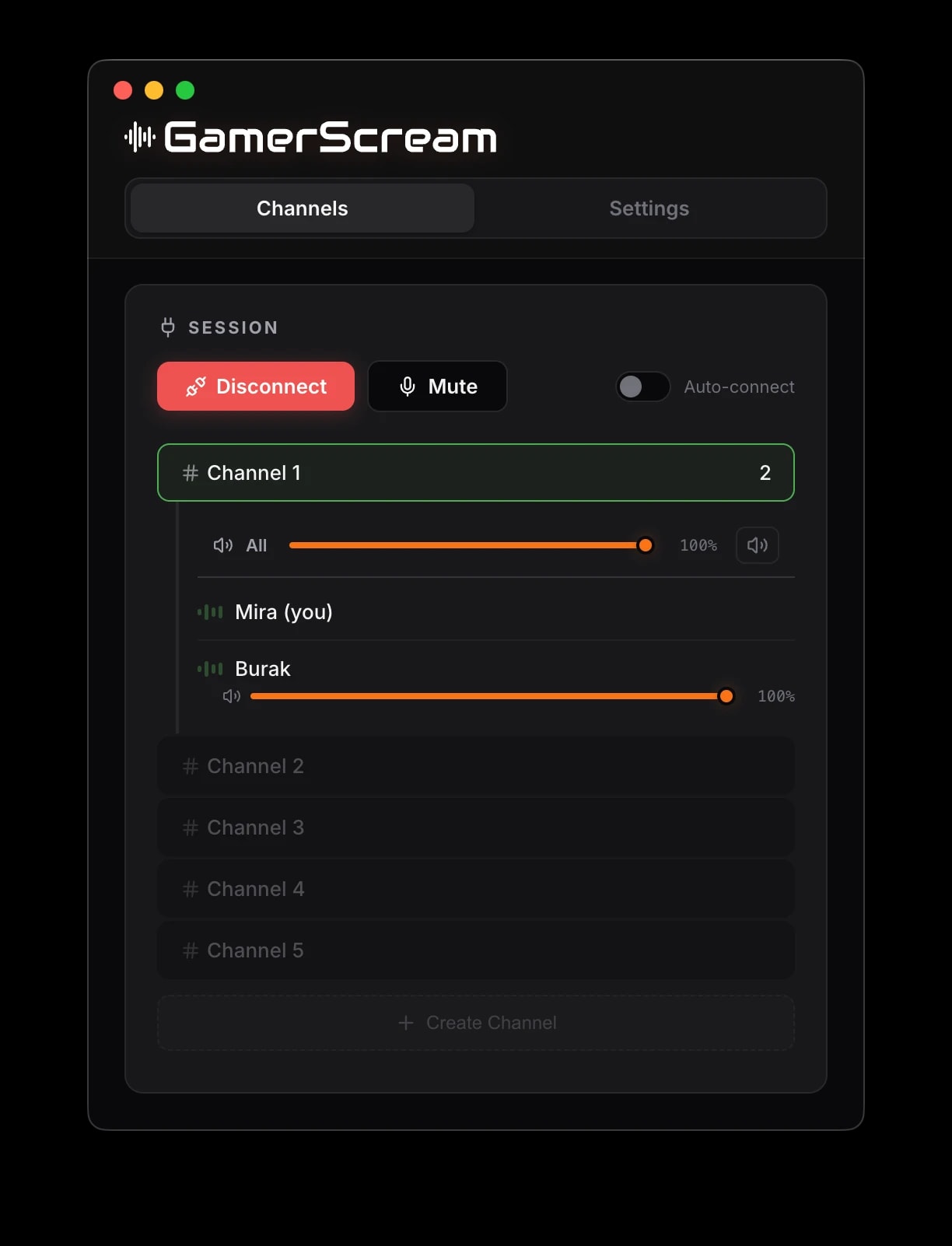
Good games start with good company.
YOUR USUAL CHANNEL
Pick a channel and join the conversation. See who’s already there.
ON YOUR TERMS
Use voice activity, a push-to-talk key or a manual mute. Choose your input mode in Settings.
INVITE YOUR CIRCLE
Create a named channel. Add a four-digit PIN when you want to keep the group together.
HEAR YOUR PEOPLE
Adjust RNNoise suppression, your microphone level and the volume of each player.
THE WHOLE PARTY
Mac or Windows, everyone meets in the same channel. Bring your usual computer.
A few useful answers
GamerScream is available as a universal Mac DMG for Apple Silicon and Intel, and a Windows x64 installer. Use the download for your computer. An internet connection, microphone permission and the app access PIN are required to join voice chat.
There is no account sign-up. Choose a display name and enter the app access PIN provided by your group. A new device needs the PIN before it can connect.
Select a numbered channel to join your group. You can also create a named channel, optionally protected by a separate four-digit PIN. Custom channels are removed after everyone leaves.
Yes. In Settings, choose Voice, Activity or Push-to-Talk. Push-to-Talk lets you set a key; Activity uses your voice threshold. Your microphone and the game must allow the selected shortcut to work.
Yes. Each remote participant has a volume control, and the channel has an overall volume control. You can also mute the channel without changing each player's saved level.
Yes. GamerScream connects to voice-chat services over the internet. Microphone permission is needed to send your voice, and everyone must be in the same channel to hear each other.

Mac DMG · Windows x64 installer · Latest stable release